
How to change DTU to AT mode?
-

-
Admin 这家伙很懒,还没有设置简介
0 人点赞了该文章 · 4688 浏览
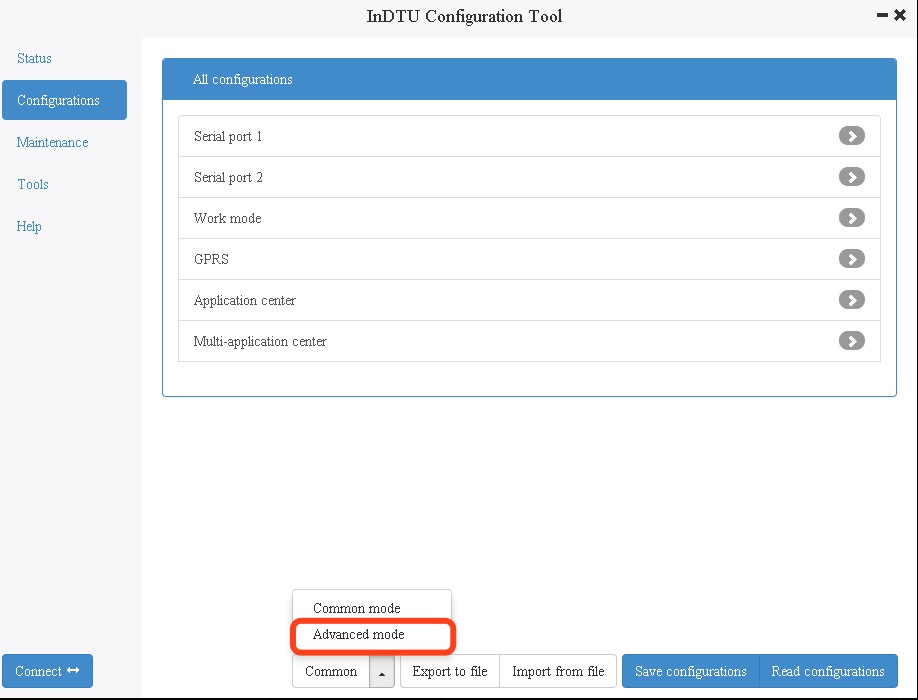
Enter Advanced config mode:
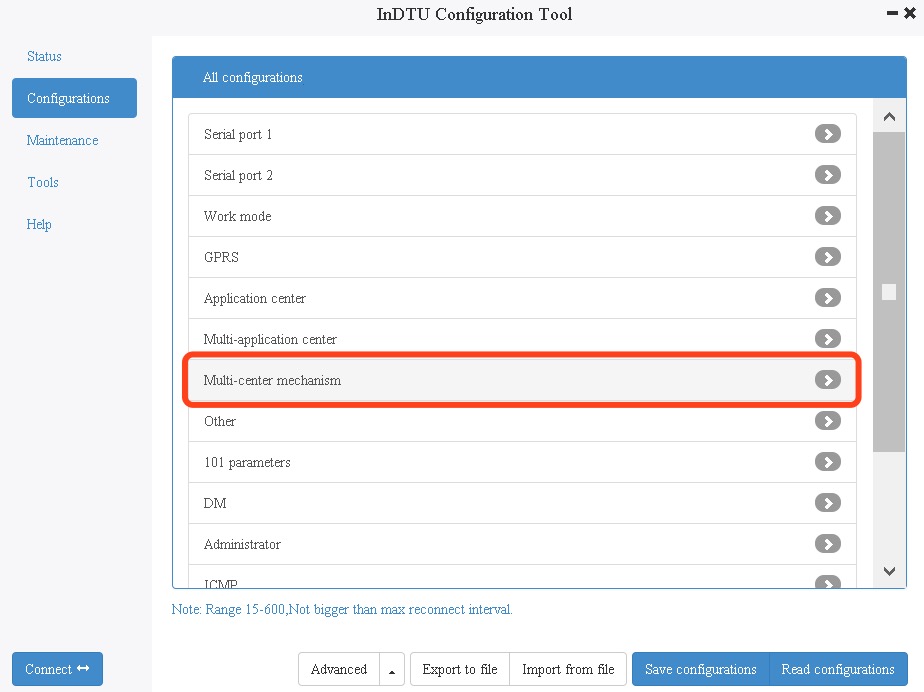
 Enter Multi-center mechanism:
 Change Max reconnect interval vaule to : troy
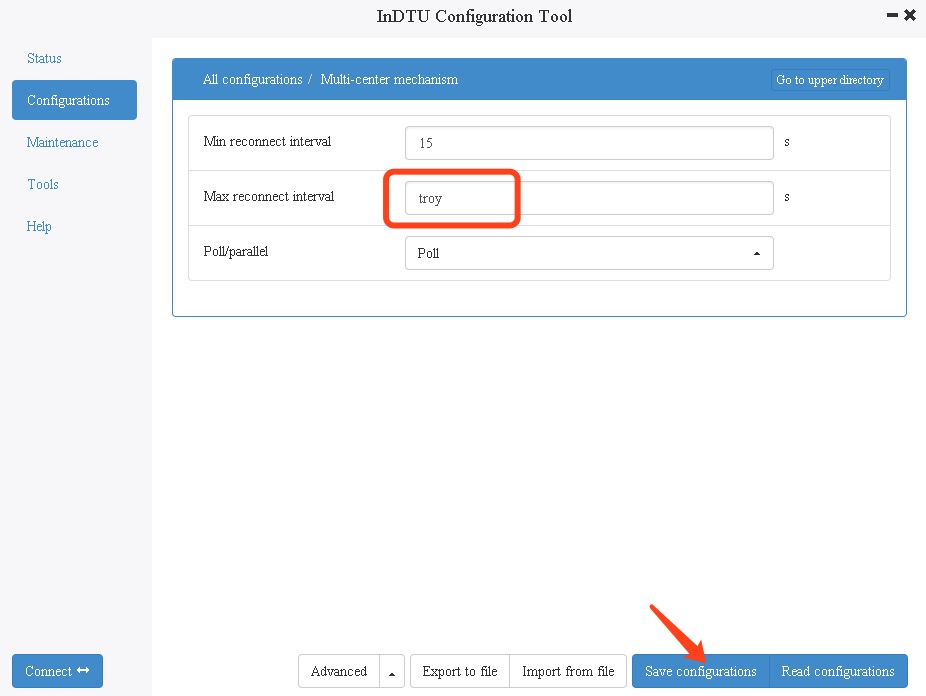 Save config,reboot DTU.
Troy mode SIM Light and STATUS Light flash alternately.
Now you can sand AT command through COM 1.
Exit at mode. After entering at mode, the serial port is always connected to the module, so it is unable to log in DTU directly with configuration tool to read / download configuration and other operations. If you want to connect DTU with configuration tool, you need to connect to COM2; or connect PC with serial port, press ESC key of keyboard / send exit with serial port tool.
退出AT模式。进入AT模式后,串口一直连模块,无法直接用配置工具登陆DTU读取/下载配置等操作。如果想用配置工具连DTU需要接到串口2;或者用串口一接pc,按键盘的ESC键/用串口工具发送exit.
Save config,reboot DTU.
Troy mode SIM Light and STATUS Light flash alternately.
Now you can sand AT command through COM 1.
Exit at mode. After entering at mode, the serial port is always connected to the module, so it is unable to log in DTU directly with configuration tool to read / download configuration and other operations. If you want to connect DTU with configuration tool, you need to connect to COM2; or connect PC with serial port, press ESC key of keyboard / send exit with serial port tool.
退出AT模式。进入AT模式后,串口一直连模块,无法直接用配置工具登陆DTU读取/下载配置等操作。如果想用配置工具连DTU需要接到串口2;或者用串口一接pc,按键盘的ESC键/用串口工具发送exit.


全部 0条评论